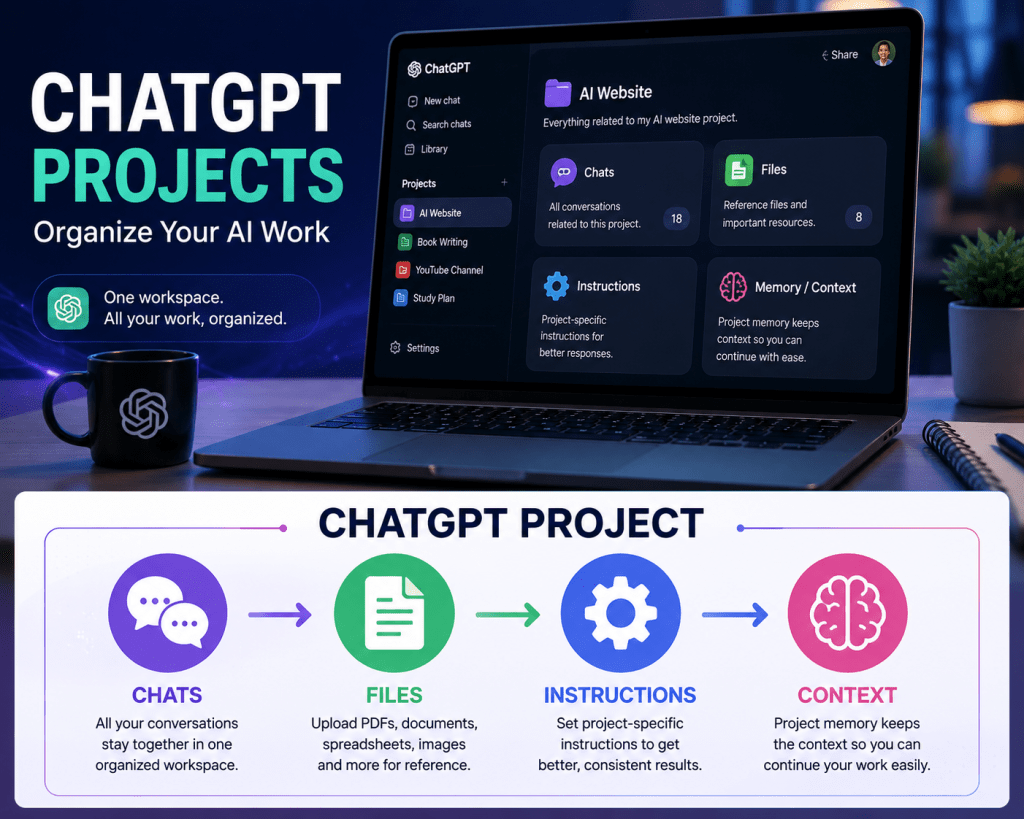
ChatGPT Projects: How to Organize Your AI Work
If you use ChatGPT regularly for the same project, you may find yourself repeating the same background information in different conversations.
ChatGPT Projects are designed to solve that problem.
A Project gives you a dedicated workspace where related chats, files and instructions can stay together. This makes it easier to return to ongoing work without rebuilding the context every time.
What Is a ChatGPT Project?
Think of a Project as a dedicated workspace for one ongoing activity.
For example, you could create separate Projects for:
- A YouTube channel
- A website
- A research topic
- A book
- A business idea
- A study subject
- A long-term content project
Instead of scattering related conversations across your ChatGPT history, you can keep them together.
OpenAI describes Projects as useful for work that continues and evolves over time.
What Can You Keep Inside a Project?
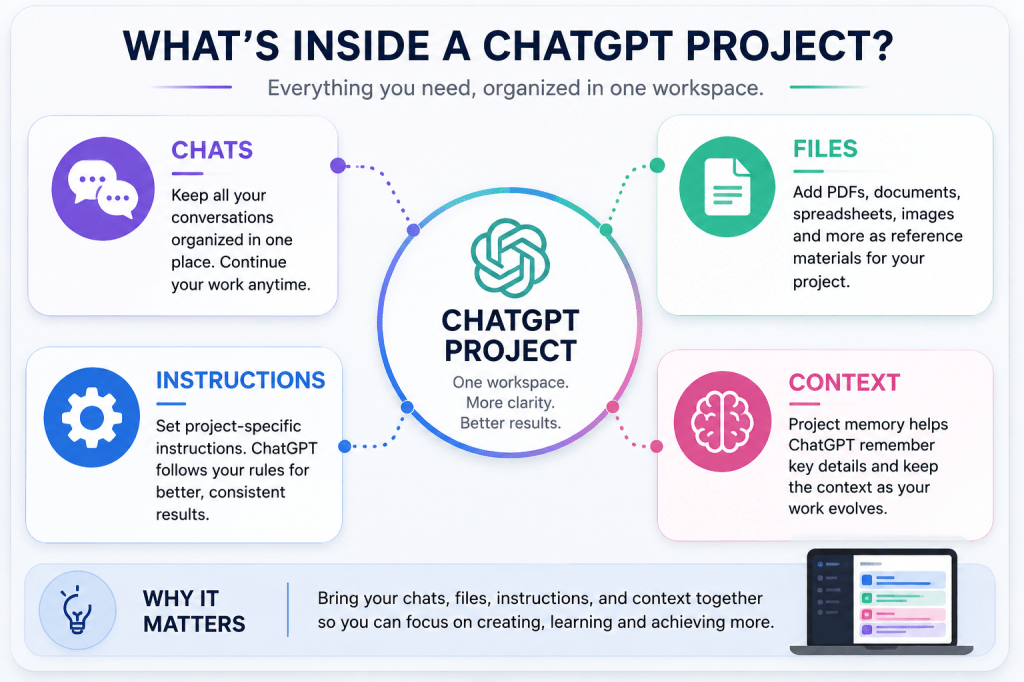
A Project can bring together three particularly useful things:
1. Chats
Your conversations related to the project can stay together.
This makes it easier to continue previous work instead of starting from zero.
2. Files
You can add reference material such as PDFs, documents, spreadsheets, images and other supported files. ChatGPT can use those materials when helping you inside the Project.
3. Project Instructions
You can tell ChatGPT how you want it to work specifically within that Project.
For example:
Write in simple English.
Keep explanations concise.
My audience is beginners.
Avoid unnecessary repetition.
Project instructions apply within that Project and can override your general custom instructions.
Why Projects Are Useful
The biggest advantage is continuity.
Imagine you’re writing a book with ChatGPT.
Without a Project, you may need to repeatedly explain:
- What the book is about
- Who the readers are
- The writing style
- Important characters or concepts
- Reference material
- Decisions you’ve already made
With a Project, those resources can stay together.
You can return later and continue the work with much less setup.
Example: Building a Website With ChatGPT
Suppose you’re creating an AI website.
You could create a Project called:
AI Website
Inside it, you could keep:
Chats
- Website structure
- Article ideas
- SEO planning
- Content strategy
Files
- Brand guidelines
- Research documents
- Content calendar
Instructions
- Global English audience
- AI topics only
- Clear and concise writing
- No unnecessary repetition
Now the Project becomes a central workspace for the website.
How to Create a Project
In ChatGPT:
1. Open the sidebar.
2. Select “New project.”
3. Give the Project a name.
4. Choose an icon and color if you want.
5. Add relevant files and Project instructions.
OpenAI’s current instructions describe this as the basic setup process.
Add Your Own Instructions
Project instructions are especially useful when you repeatedly want ChatGPT to follow the same rules.
For example:
Act as my AI content assistant.
My audience is global.
Use simple English.
Keep articles informative and practical.
Avoid unnecessary repetition.
Don’t make unsupported claims.
You can change these instructions later as your needs evolve.
Add Reference Files
Suppose you have a PDF containing research for your project.
Upload it to the Project.
You can then ask ChatGPT questions based on that material instead of repeatedly uploading it in separate conversations.
Projects support reference files including PDFs, spreadsheets, documents and images, although file limits depend on your ChatGPT plan.
Move an Existing Chat Into a Project
You don’t necessarily have to start everything again.
OpenAI allows eligible existing chats to be moved into a Project. Once moved, the conversation inherits the Project’s instructions and context.
This can be particularly useful when you’ve already done substantial work on a subject.
Save Useful Responses
If ChatGPT produces something important—such as a decision, summary, research note or draft—you can save that response as a Project source for future use.
That means your Project can gradually become a useful knowledge base rather than simply a collection of conversations.
Projects Are More Than Folders
A Project isn’t just a place to store chats.
The combination of:
Chats + Files + Instructions + Project memory
helps ChatGPT maintain the context of ongoing work.
That makes Projects particularly useful when you’re working on something over weeks or months.
Projects vs a Normal Chat
A normal ChatGPT conversation is useful for a single question or short task.
A Project is better when the work has continuity.
Use a normal chat when:
You need a quick answer, idea or one-time task.
Use a Project when:
You’re repeatedly working on the same subject and want related information kept together.
A Simple Example for Students
A student could create a Project called:
Physics Exam Preparation
Then add:
- Class notes
- Textbook PDFs
- Previous examination papers
- Important formulas
Project instructions could say:
Teach me step by step. Don’t immediately give me the answer to practice questions. Explain difficult concepts using simple examples.
The student can then continue studying in the same workspace.
A Simple Example for Creators
A YouTube creator could create:
My YouTube Channel
Inside it:
- Channel strategy
- Video ideas
- Scripts
- Thumbnail concepts
- Audience research
- Brand guidelines
Instead of starting each video conversation from scratch, the creator can keep the broader channel context available.
Project Memory
Projects can use memory and conversation context to help maintain continuity.
OpenAI currently offers project-only memory when creating a new Project. With this option, the Project can reference conversations within that Project without using conversations outside it.
This can be useful when you want a Project to remain a self-contained workspace.
You Can Also Use Other ChatGPT Tools
Projects work with many of the tools available in ChatGPT, including web search, image generation, voice mode, Study Mode and Canvas, depending on availability for your plan.
That makes a Project capable of supporting an entire workflow rather than just text conversations.
One Important Tip
Don’t create dozens of Projects without a reason.
A good Project should represent a meaningful ongoing area of work.
For example:
Good
My AI Website
Less useful
Article 1
Article 2
Article 3
Article 4
If several tasks belong to the same larger project, keeping them together can be more useful.
Final Takeaway
ChatGPT Projects are designed for work that doesn’t end in a single conversation.
They bring together chats, files, instructions and context so you can return to an ongoing project and continue with less repetition.
If you regularly use ChatGPT for learning, research, content creation, business or long-term projects, creating a dedicated Project can make your workflow much more organized.
One subject. One workspace. Less repetition. More continuity.
🔗 Official OpenAI Resources
ChatGPT Projects
OpenAI Help Center — Projects in ChatGPT
OpenAI Academy — Using Projects
OpenAI Academy — Projects
ChatGPT
Try ChatGPT
Melody AI Hub focuses exclusively on artificial intelligence for creators and AI users worldwide.

 Melody AI Hub
Leave a comment