
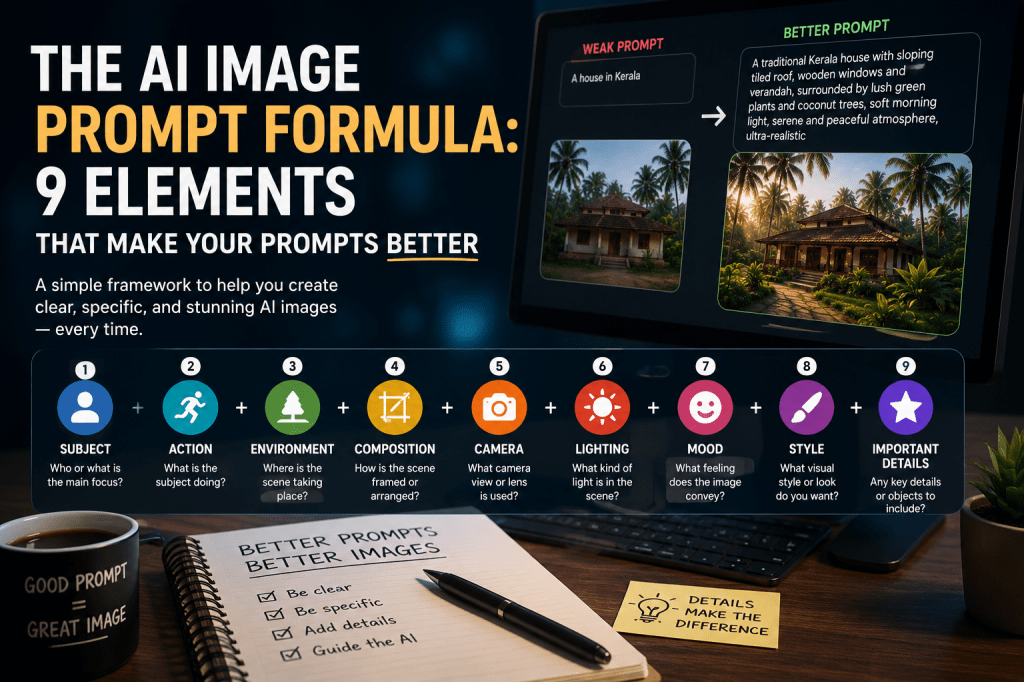
The AI Image Prompt Formula: 9 Elements That Make Your Prompts Better
Creating a good AI image prompt is not about writing a long paragraph filled with impressive words.
It is about giving the AI the right information in the right order.
A simple idea such as:
“A woman walking through a Kerala village.”
can produce an acceptable image.
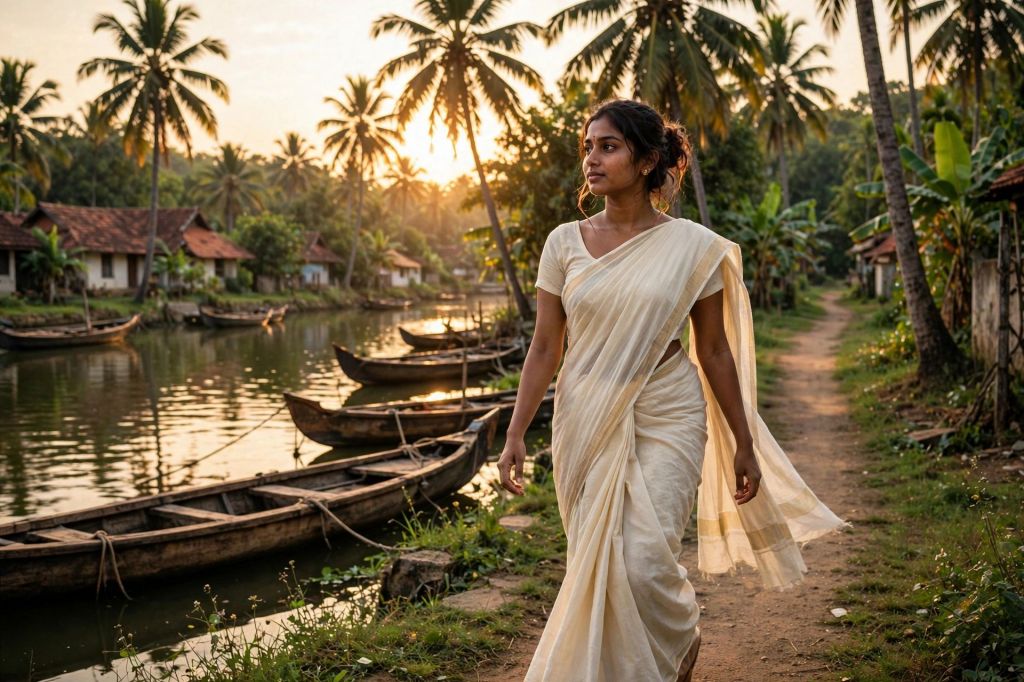
But what if you want a particular woman, in a particular place, at a particular time of day, with a specific camera view, atmosphere, emotion and visual style?
That is where a prompt formula becomes powerful.
Instead of wondering “What should I write?”, you can build your prompt step by step.
The 9-Part AI Image Prompt Formula
A useful image prompt can be built from these nine elements:
Subject → Action → Environment → Composition → Camera → Lighting → Mood → Style → Details
You don’t always need all nine.
But understanding them gives you much greater control.
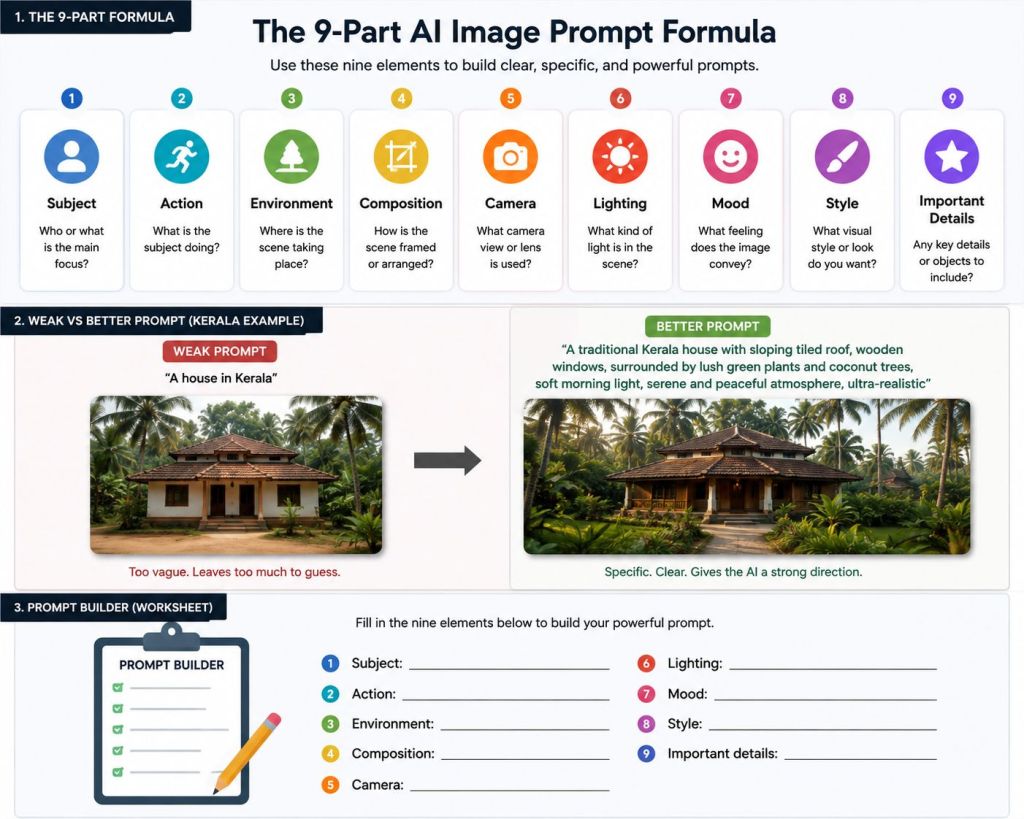
1. Subject — What should the image be about?
Start with the main subject.
It could be:
- A person
- A family
- An animal
- A building
- A product
- A landscape
- A vehicle
- A fictional character
- A historical scene
Instead of:
“A woman”
try:
“A young Indian woman wearing a simple cream saree”
The second prompt gives the AI much more direction.
Think of the Subject as the answer to:
“What is the viewer supposed to notice first?”
2. Action — What is happening?
A subject standing still is very different from a subject doing something.
Compare:
“A fisherman in Kerala.”
with:
“A traditional fisherman pulling a fishing net from a quiet Kerala backwater.”
The second prompt introduces a story.
Useful action words include:
walking, running, sitting, cooking, reading, dancing, working, looking, smiling, holding, carrying, reaching, waiting, talking, exploring
Even a subtle action can make an image feel much more natural.
3. Environment — Where is it happening?
Now give the subject a world to exist in.
Think about:
Location + surroundings + time/place context
For example:
“Beside a quiet Kerala backwater, surrounded by coconut palms, traditional wooden boats and small village houses.”
Notice how much more visual information this gives the AI than simply saying “Kerala.”
The environment can establish geography, culture and atmosphere at the same time.
4. Composition — How should the scene be arranged?
This is one of the most powerful parts of an image prompt.
Tell the AI how much of the scene you want to see.
For example:
Wide shot — shows the environment.
Medium shot — balances the subject and surroundings.
Close-up — emphasizes the face, expression or important detail.
You can also describe placement:
“The woman standing on the right side of the frame, with the backwater stretching into the distance.”
“A handcrafted Kerala brass lamp on an old wooden table, soft morning light, photorealistic product photography.”
This gives the AI an idea of where things should appear, rather than leaving the entire composition to chance.
5. Camera — How should the viewer see the scene?
Camera language can dramatically change the result.
“She wears a simple off-white cotton saree, carries a woven basket and walks barefoot along the narrow village path.”
You might specify:
- Wide-angle view
- Portrait photography
- Eye-level camera
- Low-angle shot
- High-angle shot
- Over-the-shoulder view
- Aerial view
- Close-up
- Shallow depth of field
For example:
“Eye-level cinematic portrait, shallow depth of field.”
Or:
“Wide-angle establishing shot from a slightly elevated viewpoint.”
You don’t need to use technical photography language everywhere.
Just choose the camera perspective that supports your story.
6. Lighting — What kind of light should shape the image?
Lighting can change the entire feeling of an image.
Compare:
“A house in Kerala.”
with:
“A traditional Kerala house illuminated by warm golden-hour sunlight.”
The second immediately suggests a different atmosphere.
Some useful lighting descriptions are:
Golden-hour light
Warm and cinematic.
Soft morning light
Fresh and peaceful.
Overcast light
Soft, muted and natural.
Dramatic side lighting
Creates contrast and depth.
Backlighting
Can create silhouettes and glowing edges.
Warm indoor light
Creates a cozy atmosphere.
Instead of simply saying “beautiful lighting,” describe the kind of light you actually want.
7. Mood — What should the viewer feel?
This is often forgotten.
Ask yourself:
What emotion should this image create?
It could be:
- Peaceful
- Joyful
- Romantic
- Nostalgic
- Mysterious
- Dramatic
- Hopeful
- Lonely
- Energetic
- Spiritual
- Dreamlike
For example:
“A quiet, nostalgic mood reminiscent of a Kerala village evening.”
Now the AI has direction not only about what to show, but also about how the scene should feel.
That distinction is extremely important.
8. Style — What visual language do you want?
Style determines how the final image should look.
You might ask for:
- Photorealistic
- Cinematic
- Editorial photography
- Documentary style
- Watercolor
- Oil painting
- 3D illustration
- Vintage film
- Minimalist
- Fantasy art
But don’t simply pile up styles:
“Cinematic, realistic, anime, watercolor, 3D, oil painting, documentary…”
Too many conflicting styles can make the result unpredictable.
Choose a style that supports the subject.
For example:
“Photorealistic cinematic photography with a natural documentary feel.”
Simple and intentional.
9. Details — What makes your image specific?
Finally, add the details that matter.
These could include:
- Clothing
- Age
- Facial expression
- Architecture
- Weather
- Vegetation
- Props
- Textures
- Colors
- Background elements
- Time period
For example:
These details help transform a generic image into your image.
Put Everything Together
Now let’s combine the nine elements.
Basic idea
A woman walking in Kerala.
Developed prompt
A young Indian woman wearing a simple cream cotton saree, walking slowly along a narrow village path beside a peaceful Kerala backwater, coconut palms and traditional wooden boats surrounding the scene, medium-wide composition with the woman positioned slightly to the right, eye-level cinematic camera, warm golden-hour sunlight, gentle nostalgic mood, photorealistic cinematic photography, natural skin texture, subtle fabric details and realistic environmental depth.
Look at what happened.
We started with five simple words.
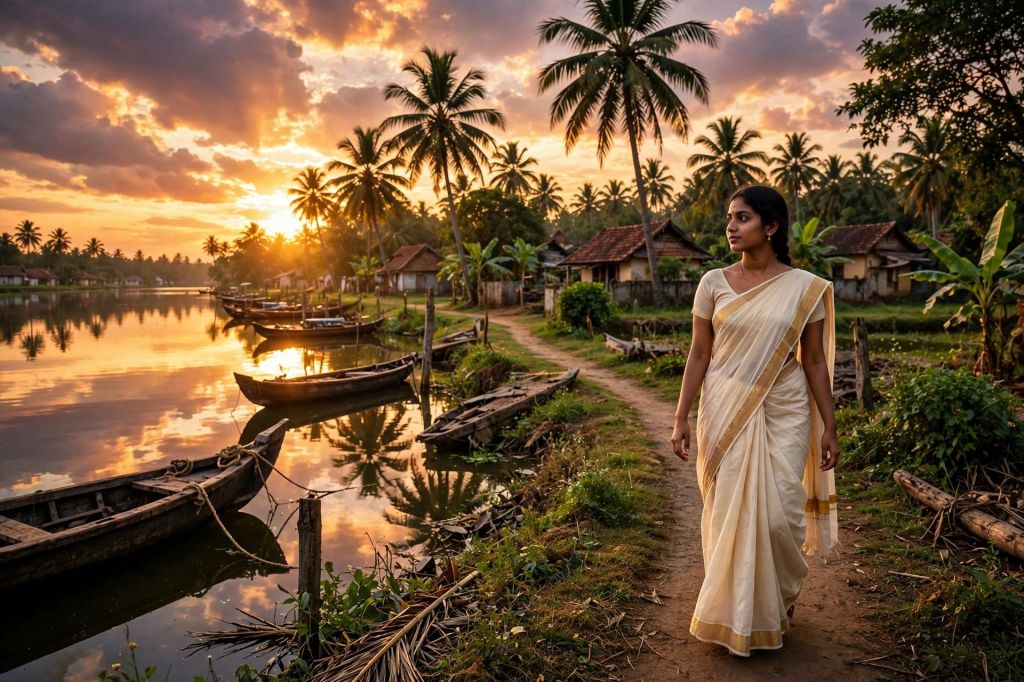
We ended with a prompt that gives the AI a much clearer visual direction.
The Formula in One Line
You can save this formula:
[Subject] + [Action] + [Environment] + [Composition] + [Camera] + [Lighting] + [Mood] + [Style] + [Details]
This is not a rigid rule.
Think of it as a checklist for your imagination.
If an image isn’t giving you the result you want, ask:
Which part of my prompt is missing?
You Don’t Always Need All 9 Elements
This is important.
A common beginner mistake is believing that a good prompt must be extremely long.
It doesn’t.
For a simple object:
That may be enough.
For a complex cinematic scene, you may need much more information.
The goal is not maximum words.
The goal is maximum useful information.
A Quick Before-and-After
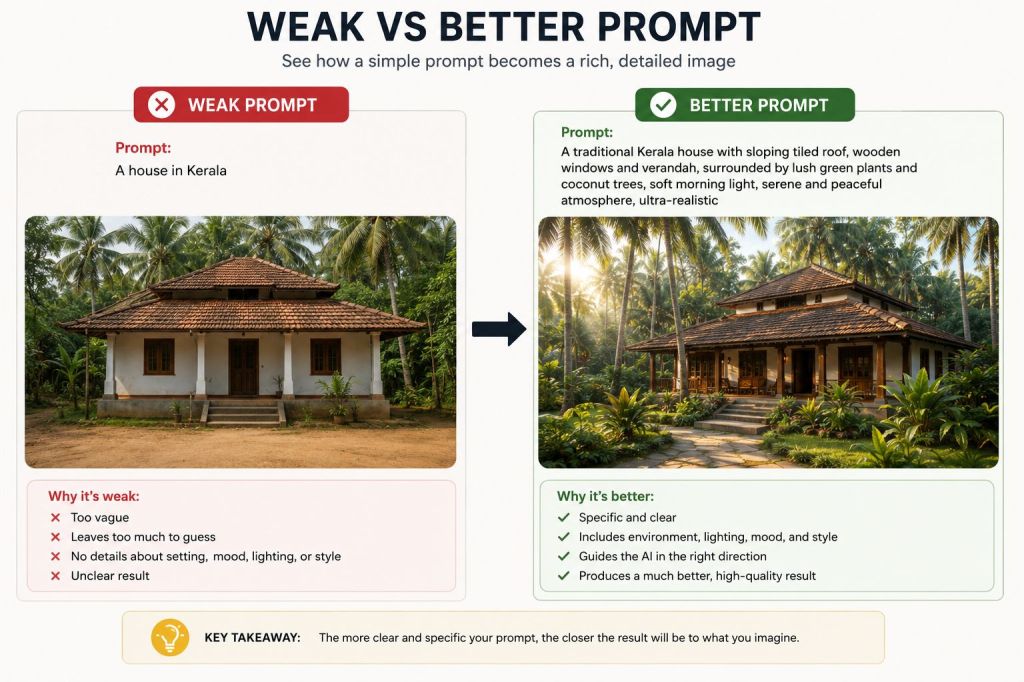
Weak prompt
A beautiful Kerala village.
Better prompt
A peaceful Kerala village beside a narrow backwater, traditional tiled-roof houses, coconut palms, small wooden boats, villagers walking along a quiet path, soft early-morning mist, warm natural light, wide cinematic composition, photorealistic documentary photography.
The difference isn’t simply that the second prompt is longer.
It is better because it answers more visual questions.
Where?
What?
When?
How should we see it?
What should it feel like?
How should it look?
That is the real purpose of prompt engineering.
A Practical Prompt Builder
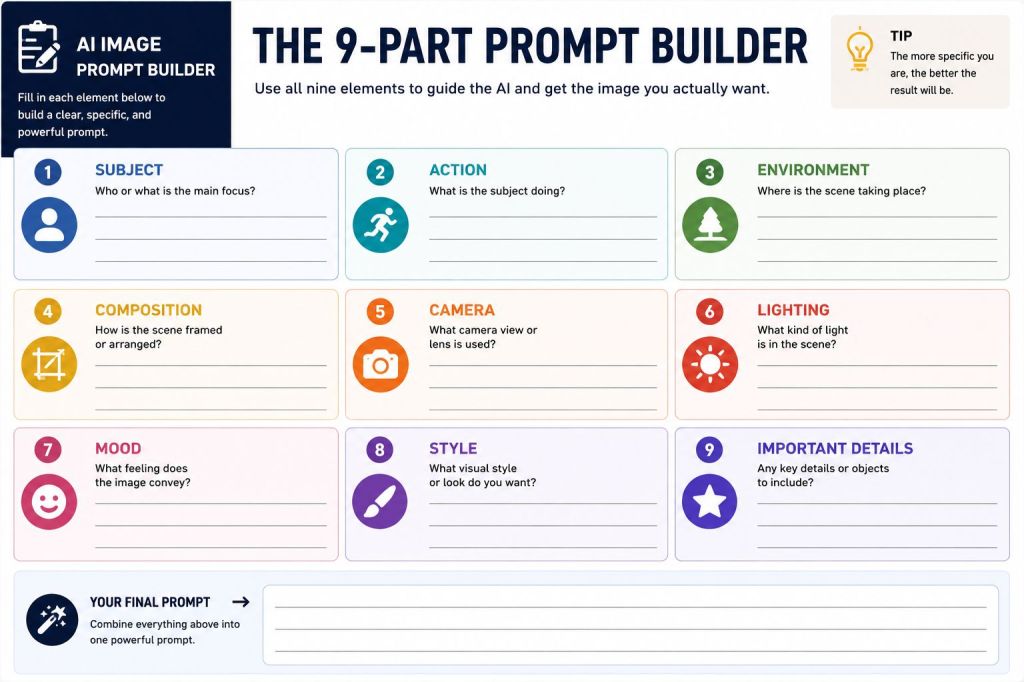
Before generating an image, fill in these blanks:
Subject: __________________
Action: ____________________
Environment:_____________
Composition:______________
Camera: __________________
Lighting: __________________
Mood: ____________________
Style: ____________________
Important details:_______
Then combine your answers into one natural prompt.
You don’t have to follow the exact order every time. The formula is there to help you think visually before you start typing.
The Most Important Lesson
A powerful AI image prompt is not a magic sentence.
It is a visual direction.
The better you understand what you want the viewer to see and feel, the better you can communicate that vision to the AI.
And when the first result isn’t right, don’t simply generate again with the same prompt.
Look at the image.
Find what is wrong.
Then change the relevant part of the prompt.
Maybe the composition is wrong.
Maybe the lighting is too flat.
Maybe the subject isn’t specific enough.
Maybe the mood is missing.
Maybe the camera perspective isn’t right.
Change one or two things and try again.
That is where prompt engineering becomes a skill rather than a guessing game.
Final Formula
Before you press Generate, ask yourself:
Who or what?
Doing what?
Where?
How is the scene composed?
How do I want to see it?
What kind of light?
What should it feel like?
What visual style?
What important details?
Answer those questions, and you are no longer simply asking an AI to “make a picture.”
You are directing the image.
What’s Next?
In the next guide, we’ll take this formula further and show how to turn a simple idea into a professional, cinematic AI image prompt step by step, including negative instructions, consistency, aspect ratio and targeted refinement.

 MELODY AI HUB
Leave a comment